Tech Llama

...Lazyllama’s Technology Pages

vSphere 4.1 ESXi Installable on USB?

Written by lazyllama on July 15th, 2010

Looking at the ESXi Installable Setup guides for 4.1 and 4.0 reveals a change. In 4.0 under System Requirements, a USB drive was listed as a possible boot device, as well as being usable for installation. So you could stick in your installation media and select USB as the destination.

Under 4.1, USB is no longer listed in the documentation as a bootable device, though boot from SAN devices via HBAs is now supported.

I’ve not checked whether you can actually install ESXi Installable 4.1 to a USB drive. It may well be possible, but I suspect it’s dropped off the “Supported” list of options.

The only reason I can see to drop support for putting Installable onto USB is to encourage people to purchase and use ESXi Embedded from their hardware supplier instead.

After vSphere 4.1 – what will be going

Written by lazyllama on July 15th, 2010

vSphere 4.1 has been out for a couple of days now.

As well as the new features which have been covered extensively (see What’s New), the release notes list some future changes for the product range. They’re not really hidden but haven’t been given much publicity.

  • ESX will be dropped in future releases, with ESXi being the hypervisor product for vSphere.
  • Future versions of vCenter Update Manager will not scan or remediate guest OSes. I presume the cross-licensing costs of using Shavlik were outweighing any benefit. UM will continue to scan and update ESXi hosts. and presumably aid in conversion of ESX hosts to ESXi.
  • VMware vCenter Converter plugin and VMware vCenter Guided Consolidation are also going away in future versions. Converter will continue in a standalone format rather than a vCenter plugin.
  • Web Access isn’t available on ESXi so that’ll be going away when ESX is dropped too

There are a few other items being dropped such as support for some versions of Linux in guests, VMI paravirtualization support, and MSCS in Windows 2000 but they aren’t as widely used.

Passing info from PowerCLI into your VM using guestinfo variables

Written by lazyllama on June 22nd, 2010

For a project at work we’ve been trying to pass information into a VM without connecting the VM to the network.
This is in order to set up some config within both Windows and Linux VMs. We decided to explore the use of GuestInfo variables which are held in memory in VMware Tools within the Guest VM, but which can be set from the host.

From the ESX Service Console of the host you can use
vmware-cmd <cfgfile> setguestinfo <variable> <value>
to set a value and vmware-cmd <cfgfile> getguestinfo <variable> to read the value. Note that you don’t need to use the “guestinfo.” prefix when using these commands.

Within the VM guest OS the values can be set/read using:
(Windows)
VMwareService.exe --cmd "info-set guestinfo.<variable> <value>"
VMwareService.exe --cmd "info-get guestinfo.<variable>"
(VMwareService.exe is usually in C:\Program Files\VMware\VMware Tools)

(Linux)
vmware-guestd --cmd "info-set guestinfo.<variable> <value>"
vmware-guestd --cmd "info-get guestinfo.<variable>"
(vmware-guestd is usually in /usr/sbin)

It wasn’t immediately obvious where the guestinfo variables live with regard to the PowerCLI vmConfig properties. Googling didn’t reveal much useful info, so I though I’d try the wonders of new technology and use Twitter. I’ve been following Carter Shanklin of VMware on Twitter since I attended a London UK VMware User Group meeting a couple of months ago, and as he’s the Product Manager for PowerCLI and the SDK, I thought I’d ask.

He quickly pointed me at the VMware SDK documentation for the ConfigInfo object and the extraConfig object in particular.

A bit of further reading led me to some experiments let me to try the following code:
$vmConfigSpec = New-Object VMware.Vim.VirtualMachineConfigSpec
$extra = New-Object VMware.Vim.optionvalue
$extra.Key="guestinfo.test"
$extra.Value="TestFromPCLI"
$vmConfigSpec.extraconfig += $extra
$vm = Get-View -ViewType VirtualMachine | where { $_.name -eq "MyVMName" }
$vm.ReconfigVM($vmConfigSpec)

That will set the guestinfo.test property to “TestFromPCLI”. Once that’s been set it can be read by the VM.

The guestinfo property can have multiple Key/Value pairs so you can pass quite a few variables through to a VM. These can only be set when a VM is powered up and running VMware Tools as the value is stored in the VMs memory, and as far as I can tell, the contents are lost when the VM reboots.

However, there is another extraConfig object which can also be set which is the machine.id. Again this can be read from within the VM (replace guestinfo. with machine.id in the above code snippets), but this one gets written to the VMs VMX config file and will thus survive reboots.

You could squish several bits of info into that one object/variable, for example a unique identifier and the VM name so that the VM can self-configure.

Unable to upgrade from Virtual Center evaluation license

Written by lazyllama on May 29th, 2009

I encountered a problem with Virtual Center (VC, vCenter) 2.5 Update 4 where trying to change from the evaluation license to a proper license server resulted in a message that there were “Not enough licenses for this operation”.

There were various suggestions on the web, mostly involving stopping and starting the Virtual Center and License Server services. None of them worked. The only other suggestion was to remove all the hosts from the Virtual Center, add the license, then re-add the hosts back in. This would lose any nice filing of VMs in the “Virtual Machines & Templates” view, and would generally be a bit of a pain.

As a last resort, I thought I’d have a Google round for possible registry settings which may affect licensing.

I found a blog posting about changing the license type that VC looks for within the registry, which also mentioned a “LicensePath” key.

Looking in the registry of my VC server there was no “LicensePath” key, so I created one, stopped and restart the Virtual Center service and found that VC now found the license server correctly and didn’t complain about “Not enough licenses”.

So to recap, open regedit, navigate to
HKEY_LOCAL_MACHINE\SOFTWARE\VMware, Inc.\VMware VirtualCenter

Create a new String key calledLicensePath and enter the info for your license server, e.g. 27000@vc01.example.com

Hostname/IP bug in ESXi 3.5 Update 3

Written by lazyllama on March 25th, 2009

Last week I was working on an HA cluster of VMware ESXi hosts.

Whatever I tried I couldn’t get the hosts to play nicely when HA was turned on. Further investigation showed that the hosts were resolving their own names to a previous IP address.

Checking the console on each host showed the correct information, but the error messages when turning HA on indicated that they were still resolving to their old incorrect addresses.

The usual problem with HA is that DNS records don’t match what is actually set up, but in this case DNS checked out fine.

It would appear that:

  1. ESXi uses a local ‘/etc/hosts’ file for resolving names in preference to DNS. You can view this file by pointing a browser at http://youresxservername/host/hosts
  2. The local hosts file doesn’t get updated when you change the settings using the console interface. It keeps whatever was in there the first time you set up the hostname and IP address for the host

Most of the time this doesn’t matter much as the host doesn’t often need to look itself up, but when VMware HA is turned on, name resolution becomes much more important.

There are two ways to edit the /etc/hosts file. Because ESXi doesn’t have a normal Console Operating System (COS) that full ESX enjoys, both methods are relatively awkwards.

  1. Use ‘unsupported’ mode to get a local root shell and edit using ‘vi /etc/hosts’
  2. Use the Remote CLI to change the file remotely.
    1. vifs.pl –sessionfile <yoursessionfile> –get /host/hosts C:\temp
    2. Edit the file with notepad
    3. vifs.pl –sessionfile <yoursessionfile> –put C:\temp\hosts /host/hosts

With that done HA started working again. Probably worth doing a reboot just to make sure it’s ‘taken’.

iPhoto mangles GPS EXIF data, even from an iPhone 3G

Written by lazyllama on July 15th, 2008

A while ago I started geo-tagging some of my photos (basically, adding GPS location data to the EXIF data in the image files).

I did the geo-tagging using the excellent HoudahGeo. Because of a limitation in iPhoto, you have to geo-tag your pictures before importing them into the iPhoto library, as it won’t re-read or change the location info it stores in the library database.

After importing to iPhoto, I would edit the photos and then upload them using Connected Flow‘s superb FlickrExport (the beta versions support uploading of location co-ordinates).

I found that, for some photos, the resulting location on the maps in Flickr was incorrect. More specifically, they were the wrong side of the Greenwich Meridian.

Further investigation showed that HoudahGeo and FlickrExport (and Flickr) were all blameless.
If I tagged a photo, examined it in OS X’s Preview the location showed correctly. If I imported the photo into iPhoto, the co-ordinates still showed up fine. When I exported the photo, using the File Export option, and examined the result in Preview, the location had changed.

This image demonstrates the issue, giving the correct co-ordinates before import into iPhoto, the correct co-ordinates inside iPhoto, but the wrong co-ordinates when subsequently exported from iPhoto using FlickrExport or File Export.

There’s a discussion about the problem in a Flickr group from a year or so ago, so I certainly wasn’t the first person to notice it.

I reported the problem to Apple, along with a link to the above image on 30th May.

On Friday, I was fortunate enough to receive a shiny new iPhone 3G. The phone has a built-in GPS (strictly speaking, a-GPS) and will geo-tag photos taken with the camera. The same switching of co-ordinates persists if you put the images through iPhoto, and quite a lot of other people have started to take notice, including a MacWorld article so I’m hoping Apple will finally fix this issue.

A work around if using FlickrExport is to re-tag all your pictures in FlickrExport before exporting them to Flickr, or if using HoudahGeo, to re-tag them after they’ve been edited and exported from iPhoto.

I don’t know whether Aperture has the same problem.

UPDATE: iPhoto 7.1.4 released 23rd July 2008 seems to fix the problem

Canon PIXMA MP600R on Mac OS X 10.5 Leopard

Written by lazyllama on January 7th, 2008

When Mac OS X 10.5 (Leopard) was released, I upgraded my Macbook. Only a few weeks later when I came to use my printer at home did I find that I couldn’t print or scan using my network-connected Canon MP600R.

All attempts to connect to the printer using the “System Preferences… > Print & Fax” setup failed. I could ping and reach the web interface of the printer, but the network drivers just couldn’t see it.

I went to the Canon downloads site and downloaded all the latest drivers, MP Navigator etc and installed them. The installation of the printer driver is pretty tedious, as you have to manually remove the old drivers, reboot, install the new drivers and reboot again. And then do the same for the scanner driver. There aren’t many Mac programs these days which insist on rebooting your machine, so Canon need to sort that out.

And after all that, it still didn’t work!

Next step was some intensive Googling to find people with similar problems. The closest I could find was a thread on the Apple Support Discussion boards about the Canon MX700.

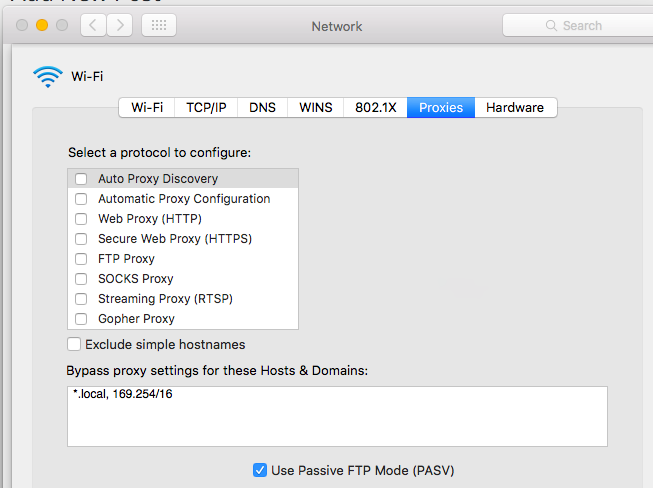
The messages suggested that the problem was the new Leopard firewall. By setting the firewall to “Set access for specific services and applications” and adding the various Canon printing and scanning utilities to allow incoming connections, the networked printer could be added in the “Print and Fax” settings.

Picture 1.png

Wireless Mighty Mouse scroll ball problem

Written by lazyllama on January 10th, 2007

Wireless Mighty Mouse, originally uploaded by Lazyllama.

I’ve got a wireless Mighty Mouse for use with my Macs. Very nice it is too.

After 3 months of use the scroll ball on top stopped detecting upward movements so I could scroll down pages but not scroll back up.

Blowing in to the hole didn’t fix it, but pushing hard on the ball while rolling the ball around fixed it.

MacBook died again

Written by lazyllama on December 15th, 2006

Last Monday, while I was at work, performing a network-based backup using Mistral Backup my MacBook stopped responding.

I powered it off and when powered back on just got the dreaded Question Mark Folder. I went through the usual diagnostic steps, resetting PMU and PRAM, reseating RAM and hard drive, but I knew the hard disk was dead. When the power was first applied it made 4 clicking noises and didn’t spin up.

I called Apple Support as the machine is still only a few months old and well within warranty. They agreed that the drive was dead and that I would need to take it to either an Apple Store or a local Authorised Apple Service Provider. I called a couple of local service providers but none of them had the 80GB 2.5in SATA drive in stock, so I decided to take the machine to the Apple Store on Regent Street.

Now the Apple Stores run a “Genius Bar” system where you can get tech support, but it runs on a strictly appointment-only system. You have to book appointments online, on the Apple website. I checked and there were no appointments available that day.

I check the next morning, and once again there were no appointments available. I resolved to take the machine along to the Apple Store and see whether they’d take it in after I’d finished work.

On arriving at the Apple Store, there was quite a long queue at the Genius Bar. A store employee walked along the line to see whether he could weed any people out. When he reached me, I explained that my MacBook had died, that I’d spoken to the the support line and that the drive wasn’t working. They guy asked whether I had an appointment, to which I pointed out that asking people to make an appointment online to get their computer repaired was a little illogical (“Computer no work – must use computer to get it repaired…. hmmmm….”). He said that there was no way I’d get to see anyone that night, but he booked me an appointment for the following night. I’ve no idea why they couldn’t just check it in for repair, I’d had i diagnosed by the support line who had taken the serial number, so they knew it wasn’t a simple user problem.

The next evening, Wednesday, I took the machine in, got it booked in, they had no drives in stock either so might have to wait the standard 7-10 days, though the guy said that it’d probably be fixed sooner.

On Saturday afternoon I got a call to say that the machine was fixed, picked it up and started rebuilding it.

I’d lost all the data on the hard drive, but within 24 hours had virtually everything I needed back in place. I did a restore over my home ADSL line from the Mistral Backup server which got me most of my “Documents” folder back, and most of the other applications I use are available for download. My email is all stored on my IMAP server with Exonetric at Telehouse so I could access my license keys etc.

Getting the machine in for repair was a pain, but at least it didn’t take very long when they did take it in. The actual repair was a simple replacement of the hard drive, which is a 3 minute job (remove battery, loosen 3 screws, remove L-plate, pull hard drive tab, then do the same in reverse). The receipt I was given said that if the machine hadn’t been under warranty, it would have cost me £167. The cost of the hard drive is about £70, so they’re charging a fair stack for labour there.

The Mac’s been fine since, fingers crossed for he next few months. I might invest in an Apple Care contract when my warranty nears its end, as I’ve had two repairs since I bought the machine in late July.

MacBook Intermittent Shutdown Problems

Written by lazyllama on August 30th, 2006

About a month ago I bought myself a refurbished black MacBook from the Apple Online Store. Apart from a slight mark on the screen which isn’t noticeable in use it was in fantastic condition. I’ve been using it for the past month without any problems, and it’s been a fabulous machine.

Until Saturday. On Saturday evening, the machine suddenly shutdown. No error message, no kernel panic, it just turned itself off. Hmmmmm… I turned it back on and about 30 minutes later it shutdown again.

Turning to the web I found that I’m not alone. From what I’ve read this problem has been around for a while, and tends to occur when the machine is about a month old, though some people have suffered the problem within days of purchase.

It would appear that the problem is caused by an automatic CPU shutdown due to overheating. I can reproduce the problem by heavily loading both cores by entering “yes > /dev/null &” a couple of times in Terminal and waiting a minute.

The shutdown happens when the machine is heavily loaded and also when the machine is cool, for example after being asleep, and is then given a task which raises the workload rapidly.

The problem happens on battery or main power, it will even happen while running the extended Hardware Diagnostic from the installation DVD, which shows that it’s not an OS or other software problem.

The problem has got worse since Saturday, yesterday the machine shutdown 15 times. I’ve reset the PRAM (power on with Option-Cmd-P-R held down until the machine has chimed 3 or 4 times), reset the PMU (unplug, remove battery, hold power button down for 15 seconds), re-seated the RAM and none of them have helped.

The machine has had the SMC Firmware applied which fixes the fan “mooing” but it didn’t help with this problem.

This morning I called Apple technical Support and after explaining the tests I’d tried etc, the guy agreed that the machine needed a repair. Unfortunately their ticketing system was down so he couldn’t arrange it and I’d have to call back, but he did give me an “Offline” call reference. I called back a few hours later but the young lady who I spoke to could find no information about my previous call and the call reference couldn’t be found. So I went through the whole explanation again. She again agreed that the machine needs a repair and I was put through to a product specialist to arrange the Mail-In repair.

They’re sending a box for the machine which should reach me tomorrow.

From what I’ve read the repair tends to be either a Main Logic Board replacement which sometimes works, or a replacement of both the heat-sink and something called a “lollipop”. My machine is a “Week 21″ machine (5th and 6th digits of serial number), but the problem has been reported for most manufacture weeks.

The one workaround that I’ve found is to turn the machine on by holding down the power button until the machine makes a loud, long beep. That starts the machine with the CPU locked to 1GHz (half the maximum speed) which seems to prevent the thermal shutdown until the machine is switched off again.

To give some idea of the scale of the problem, here’s a small sample of the articles relating to this problem:-

There are loads more reports, and the comments on some of the articles indicate that there are hundreds, if not thousands, of people suffering from this problem.